Interactive API Reference (Swagger UI)
The CX Platform provides a live, interactive API reference through Swagger UI. You can explore documented endpoints, inspect request/response schemas, and execute real API calls directly from your browser.
Accessing Swagger UI
Swagger UI is served directly from the CX Platform API server:
The underlying OpenAPI specification (JSON) is available at:
https://cx2-main.pit.cxgp.us/cx/oas/cx-oas.json
Swagger UI URL vs API operation URLs
Swagger UI itself remains available at the documented /cx/oas/... URLs.
Partner API operations should be called using their published versioned paths,
such as /cx/v2/.... See API Versioning.
Authenticating in Swagger UI
To make authenticated requests from Swagger UI:
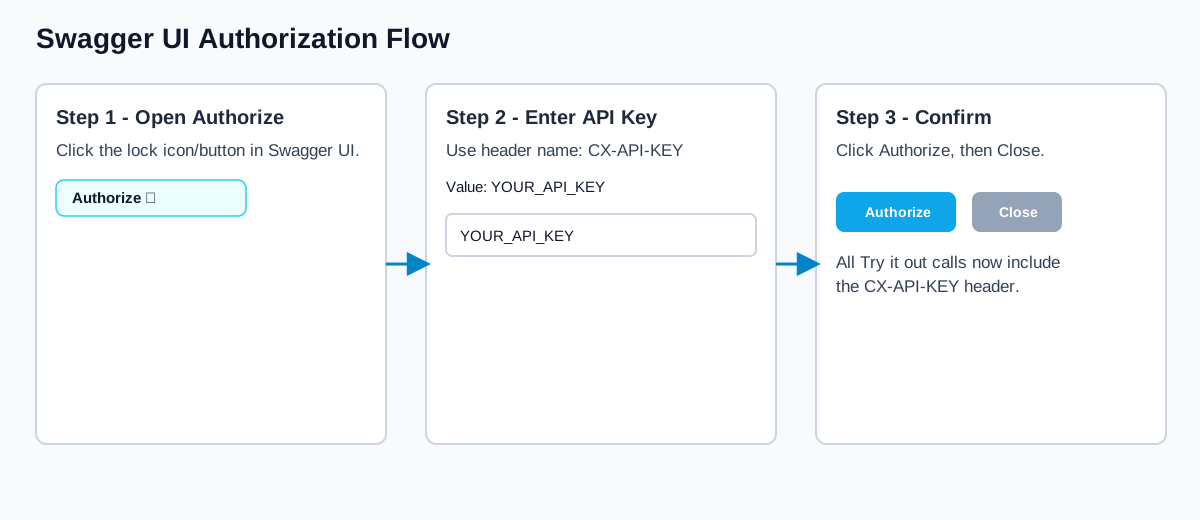
- Open Swagger UI in your browser.
- Click the Authorize button (🔒) at the top-right of the page.
- In the dialog, enter your API key in the CX-API-KEY field.
- Click Authorize, then Close.
- All subsequent "Try it out" requests will include your key automatically.
Use PIT (Test) Keys
When testing with "Try it out", always use your PIT (test) environment API key to avoid modifying production data.
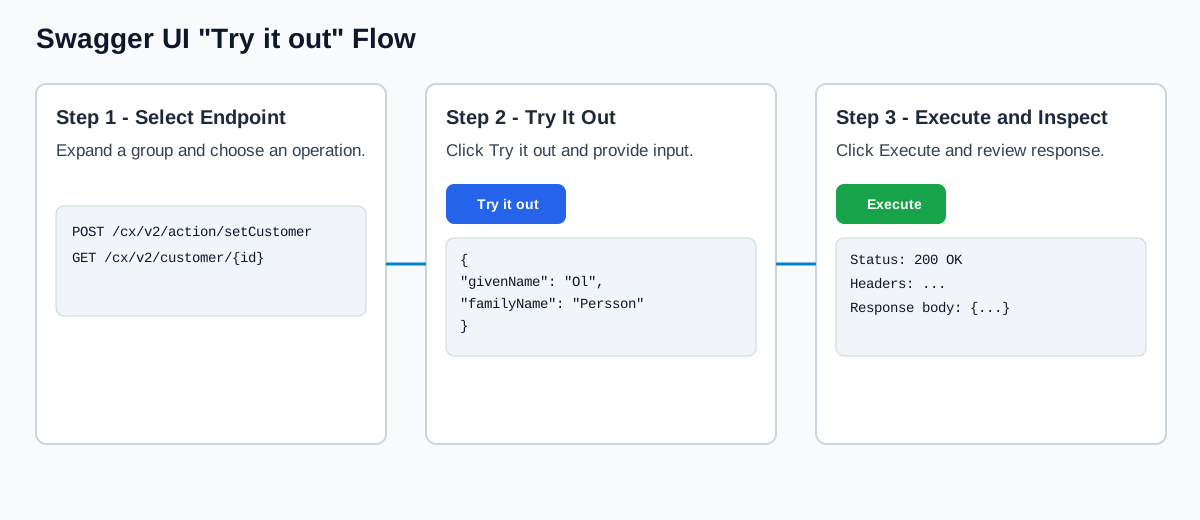
Authorization and "Try it out" Visual Walkthrough
These visuals show the two most common Swagger UI actions.
Browsing Endpoints
Once authenticated, you can:
- Browse — Expand any endpoint group (Customers, Payments, etc.) to see available operations.
- Try it out — Click Try it out on any endpoint, fill in the required parameters, confirm the versioned path shown for the operation, and click Execute to make a live request.
- Inspect — View the response status code, headers, and body directly in the UI.
- View schemas — Scroll to the Schemas section at the bottom to see all request/response DTOs and their field definitions.
Using the OpenAPI Spec File
The JSON spec at https://cx2-main.pit.cxgp.us/cx/oas/cx-oas.json can be used outside of Swagger UI:
- Import into Postman or Insomnia for a team-shared API collection
- Download and store locally for pinned integrations and CI workflows
Download the OpenAPI spec
Invoke-WebRequest -Uri "https://cx2-main.pit.cxgp.us/cx/oas/cx-oas.json" -OutFile "cx-oas.json"
curl -L "https://cx2-main.pit.cxgp.us/cx/oas/cx-oas.json" -o cx-oas.json
Run Swagger UI locally against the spec file
docker run --rm -p 8080:8080 -e SWAGGER_JSON=/openapi/cx-oas.json -v "${PWD}\:/openapi" swaggerapi/swagger-ui
docker run --rm -p 8080:8080 -e SWAGGER_JSON=/openapi/cx-oas.json -v "$(pwd):/openapi" swaggerapi/swagger-ui
Then open http://localhost:8080 in your browser.
Next Steps
- REST API Overview — Fundamental concepts for using the API
- API Versioning — How
/cx/v2/fits into REST integrations - Authentication & Environments — API keys and environment details
- SDK Quick Start — Get the Java SDK running in 5 minutes